Automate Commit Linting and Package Releases with GitHub Actions
Features in this article
-
Commitlint: Enforce commit message with rules.
-
Commitlint with GitHub Actions: Add a CI/CD workflow to lint commit messages on the remote (useful because developers can skip local checks).
-
Git Hooks with Husky: Configure Git hooks to validate commit messages before completing a
git commit. -
Commit Template Generator: Since remembering commit rules is annoying, a generator is ideal. Commitizen integrates well with Commitlint.
-
Automated Versioning:
changesetsis excellent for monorepos. Automated with GitHub Actions
CommitLint
We can enforce some rules for writing commit messages. The most popular one is Conventional Commit rules.
Why Commitlint? Most people write commit messages in a different format, there are no rules. With commitlint, we set the rules.
Also if your commit message history follows conventional commits, then it's easy to auto-generate changelogs and releases that follows semver specs.
- Install Commitlint v20
pnpm add -D @commitlint/cli @commitlint/config-conventional- Create
.commitlintrc.json
{
  "extends": ["@commitlint/config-conventional"]
}
Here is an extended example configuration:
{
  "extends": ["@commitlint/config-conventional"],
  "rules": {
    // 🆕 Define your own rules
    "type-enum": [2, "always", [
      "feat",
      "fix",
      "docs",
      "style",
      "refactor",
      "test",
      "build",
      "chore",
      "release",
      "revert",
      "perf",
      "enh",
      "ci",
      "security"
    ]],
    // 🆕 Define your own scopes for a commit
    "scope-enum": [2, "always", ["web", "cli"]],
    "type-case": [2, "always", "lower-case"],
    "type-empty": [2, "never"],
    "scope-case": [2, "always", "lower-case"],
    "subject-empty": [2, "never"],
    "subject-full-stop": [2, "never", "."],
    "header-max-length": [2, "always", 100]
  },
  // These config are set by default
  "prompt": {
    "settings": {},
    "messages": {
      "skip": "':skip",
      "max": "upper %d chars",
      "min": "%d chars at least",
      "emptyWarning": "can not be empty",
      "upperLimitWarning": "over limit",
      "lowerLimitWarning": "below limit"
    },
    "questions": {
      "type": {
        "description": "Select the type of change that you're committing:",
        "enum": {
          "feat": {
            "description": "Add a new feature.",
            "title": "Features"
          },
          "fix": {
            "description": "Submit a bug fix.",
            "title": "Bug Fixes"
          },
          "docs": {
            "description": "Documentation changes.",
            "title": "Documentation"
          },
          "style": {
            "description": "Changes that do not affect the meaning of the code (white-space, formatting, missing semi-colons, etc).",
            "title": "Styles"
          },
          "refactor": {
            "description": "Neither fixes a bug nor adds a feature.",
            "title": "Code Refactoring"
          },
          "test": {
            "description": "Add or modify tests.",
            "title": "Tests"
          },
          "build": {
            "description": "Changes that affect build, bundling, deployment artifacts (Vite, Turborepo, Terraform).",
            "title": "Builds"
          },
          "chore": {
            "description": "Other changes that don't modify src, test files, build, or CI.",
            "title": "Chores"
          },
          "release": {
            "description": "Publish a new package version.",
            "title": "Package Release"
          },
          "revert": {
            "description": "Revert a previous commit.",
            "title": "Reverts"
          },
          "perf": {
            "description": "Improve performance without API changes (speed, render, response times, DB queries).",
            "title": "Performance"
          },
          "enh": {
            "description": "Improve an existing feature (UI, UX, outputs).",
            "title": "Enhancement"
          },
          "ci": {
            "description": "Changes to CI config files and scripts.",
            "title": "Continuous Integrations"
          },
          "security": {
            "description": "Changes that fix vulnerabilities (authentication, permissions).",
            "title": "Security Improvements"
          }
        }
      },
      "scope": {
        "description":
          "What is the scope of this change (e.g. component or file name)"
      },
      "subject": {
        "description": "Write a short, imperative tense description of the change"
      },
      "body": {
        "description": "Provide a longer description of the change"
      },
      "isBreaking": {
        "description": "Are there any breaking changes?"
      },
      "breakingBody": {
        "description":
          "A BREAKING CHANGE commit requires a body. Please enter a longer description of the commit itself"
      },
      "breaking": {
        "description": "Describe the breaking changes"
      },
      "isIssueAffected": {
        "description": "Does this change affect any open issues?"
      },
      "issuesBody": {
        "description":
          "If issues are closed, the commit requires a body. Please enter a longer description of the commit itself"
      },
      "issues": {
        "description": "Add issue references (e.g. 'fix #123', 're #123'.)"
      }
    }
  }
}CommitLint with GitHub Actions
Commit messages are linted locally, but unfortunately developers can bypass them using the git commit --no-verify flag.
We can still double-check and lint commit messages on the remote repository using GitHub Actions.
We will use a pre-built GitHub Action: commit-lint-github-action
-
First, ensure your code is pushed and published in GitHub
-
Create
.github/workflows/commitlint.yml
name: Lint Commit Messages
on: [pull_request, push]

permissions:
  contents: read
  pull-requests: read

jobs:
  commitlint:
    runs-on: ubuntu-latest
    steps:
      - uses: actions/checkout@v4
        with:
          fetch-depth: 0
      - uses: wagoid/commitlint-github-action@v6
This workflow runs whenever code is pushed or a pull request is opened, in any branch.
In a OSS (Open Source Software) environment, I recommend trigger this action only when:
- pushing to
main - opening PR targeting
mainto enforce commitlint on PR title
And allow contributors to commit freely and squash merge the PR. If the PR title does not follow the commit rules, then they (contributors or maintaner) won't be able to merge into main.
name: Lint Commit Messages

on:
  push:
    branches:
      - main
  pull_request:
    branches:
      - main
  types:
      - opened
      - edited
      - synchronize
      - reopened

permissions:
  contents: read
  pull-requests: read

jobs:
  commitlint:
    runs-on: ubuntu-latest
    steps:
      - uses: actions/checkout@v4
        with:
          fetch-depth: 0
      - name: Validate PR title with commitlint
        uses: wagoid/commitlint-github-action@v6
        with:
          validateSingleCommit: true
          commitMessage: ${{ github.event.pull_request.title }}
This rule does:
- Contributors can write any commit messages
- PR title must follow commitlint
- Repo uses Squash merge (creates a new commit message into main)
- Final commit message = PR title
mainstays clean
Good to know.
For a OSS, it is best practice to enable these settings in your Github repo.
Go to: Settings → General → Merge button
Enable:
Allow squash mergingDefault to squash merge(Optional)
Go to: Settings → Branch protection → main
Enable:
Require pull requestRequire status checksSelect commitlint workflow
- Done. Check the workflow progress under the Actions tab on GitHub.
Git Hook: Husky with CommitLint
About Git Hooks
Avoid enforcing Git hooks in a corporate or contributor environment, as this may slow their workflow. Instead, prefer running Git hooks in a CI pipeline (GitHub Action) or use them locally at your discretion. Watch Theo take on Git Hooks.
If you also want the option to validate commit messages locally.
The git hook commit-msg would do the work.
Rather than writing all the boilerplate to create hooks from scratch, we will use Husky, a handy git hook helper.
- Install Husky v9
pnpm add -D husky

# Activate husky
pnpm exec husky install

# Add hook (optionally use `pnpx` instead of `npx`)
echo "npx --no -- commitlint --edit \$1" > ./husky/commit-msg
Running above code creates: .husky/_ and .husky/commit-msg
npx --no -- commitlint --edit $1-
Try
git commit -m "test commit". Must fail because it's not a valid commit.Then try
git commit -m "chore: test commit"should pass.
Optional: More Git Hooks
- Format, lint, and test code before commiting.
# Add pre-commit hook
echo "pnpm format && pnpm lint && git add ." > .husky/pre-commit
chmod +x .husky/pre-commit- Format, lint, and test before pushing to remote.
echo "pnpm check" > .husky/pre-push
chmod +x .husky/pre-push
Tips
- Only run unit tests in Git hooks
- E2E tests should run in CI pipeline (GitHub Actions)
Commit Template Generator: Commitizen
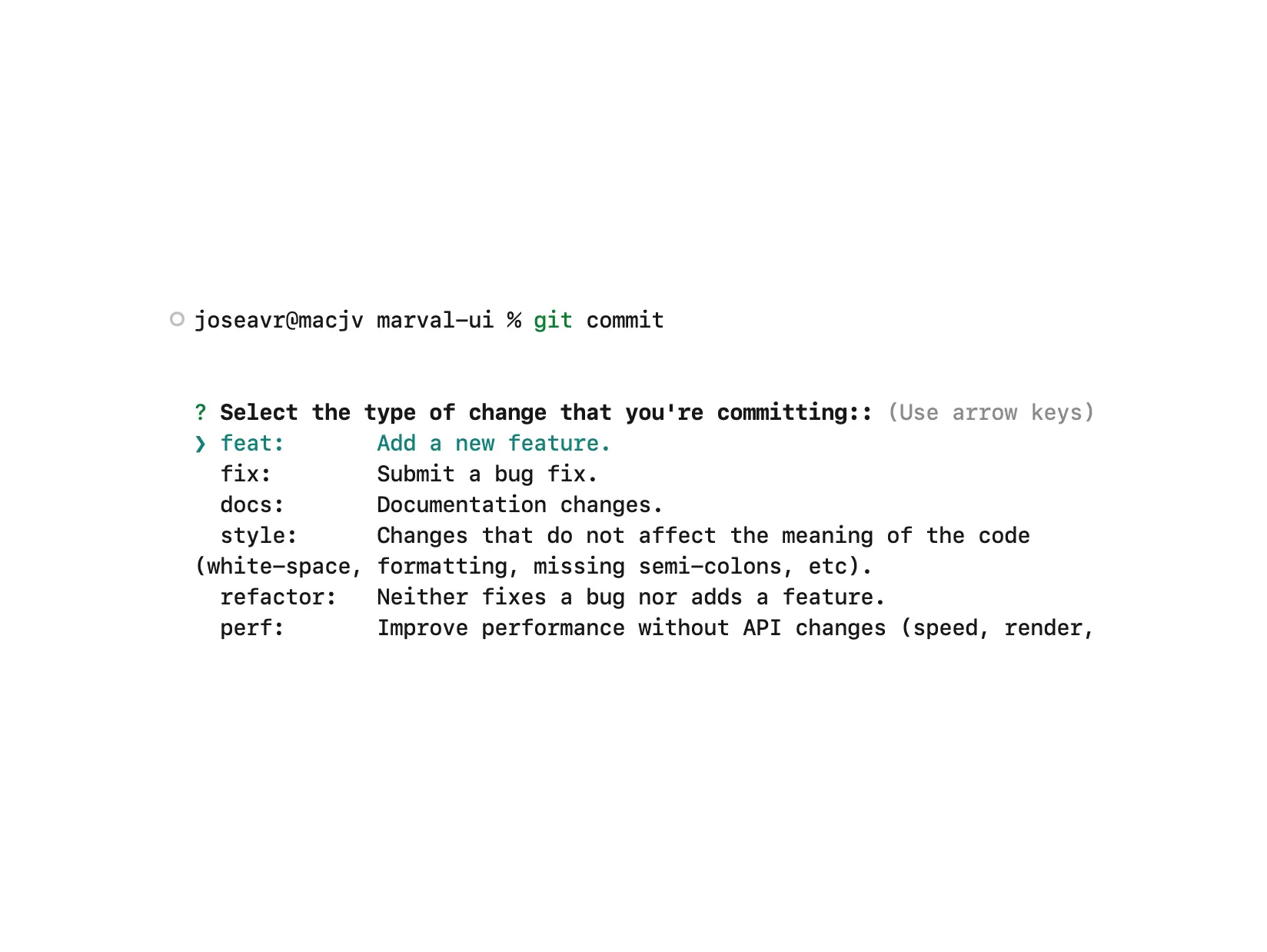
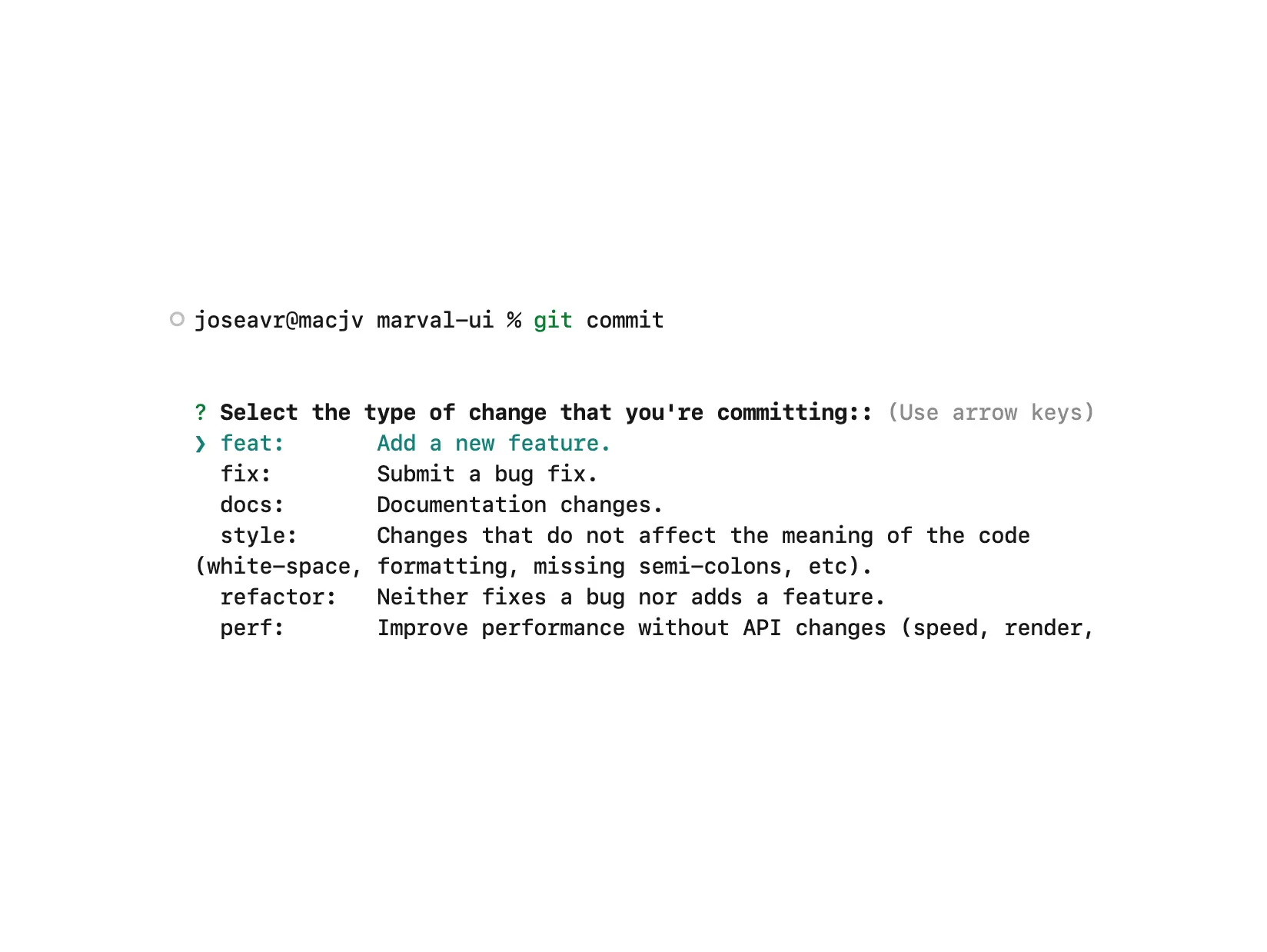
Memorizing commit rules is tedious. Commitizen provides an interactive CLI for writing valid commits.
- Install Commitizen v4
pnpm add -D commitizen @commitlint/cz-commitlint inquirer@9@commitlint/cz-commitlintis a commitizen adapter to adhere to the commit convention configured in.commitlintrc.json. See Step 3 for configuration.inquireris a peer dependency needed
- Add script in
package.json
{
	"scripts": {
		"cm": "cz"
	}
}- Make your project Commitizen friendly by adding this config to
package.json
{
	"config": {
    "commitizen": {
      "path": "@commitlint/cz-commitlint"
    }
  }
}
Now Commitizen uses rules from .commitlintrc.json.
-
At this point running
pnpm cmshould start Commitizen.
Use this instead ofgit commit. -
(Optional) Trigger Commitizen with
git commit: create aprepare-commit-msghook with Husky.
echo "exec < /dev/tty && npx cz --hook || true" > .husky/prepare-commit-msgAnd make the file executable
chmod +x .husky/prepare-commit-msgNow running git commit opens the Commitizen prompt, ideal for contributors unfamiliar with pnpm cm.
Bump version and generate changelog
Must intiialize a Commitizen config.
cz initThese are the CLI options:
cz bumpautomatically calculates the next version based on your commits (patch, minor, major) and updates project package.json.cz changeloggenerates or updates a CHANGELOG.md summarizing commits by type (feat, fix, etc.) and organizes them including version numbers and dates.
After committing and bumping versions, push changes:
git push -u origin main
git push --tags
Recommended workflow:
Make changes -> git add . -> cz commit -> cz bump -> cz changelog -> git push Package Versioning with Changesets
Changesets is a tool for managing version bumps and generating changelogs in monorepos and can also publish packages to NPM.
It stores version changes as markdown files called "changeset". These files track the type of version bump and include a description that follows the semantic versioning rules.
Changesets follows semantic versioning: major.minor.patch.
A patch is a bug fix, a minor is a new feature, a major is a breaking change.
- Install Changesets v2
pnpm install -D @changesets/cli && pnpx changeset initRunning this command will generate a .changeset folder with a README.md and a config.json.
{
	"$schema": "https://unpkg.com/@changesets/config@2.3.1/schema.json",
	"changelog": "@changesets/cli/changelog",
	"commit": false,
	"fixed": [],
	"linked": [],
	"access": "public",
	"baseBranch": "main",
	"updateInternalDependencies": "patch",
	"ignore": []
}- After completing your PR commits, create a "changeset" to describe changes
pnpx changesetor run with pnpm changeset
{
	"scripts": {
		"changeset": "changeset"
	}
}
You’ll be asked which packages to bump and for a description.
Changeset reads all packages defined in the root package.json. If workspaces aren't defined, add it:
{
  "workspaces": ["apps/*", "packages/*"]
}-
(Optional) Install changeset bot for contributors. This bot will remind all contributors to include a changeset whenever they create a PR.
-
Manual release commands. (This command is not needed, explained in the next section)
# bumps version based on markdown files
pnpx changeset version
# releases to npm
pnpx changeset publishAutomate Changesets Releases with GitHub Actions
While we can release a package manually, we can do better by automating this work using GitHub Actions.
- Create
.GitHub/workflows/release.yml
name: Release

on:
  push:
    branches:
      - main

concurrency: ${{ GitHub.workflow }}-${{ GitHub.ref }}

jobs:
  release:
    name: Release
    runs-on: ubuntu-latest
    steps:
      - name: Checkout Repo
        uses: actions/checkout@v3

      - name: Setup Node.js 20.x
        uses: actions/setup-node@v3
        with:
          node-version: 20.x

      - name: Install Dependencies
        run: npm install

      - name: Create Release Pull Request or Publish to npm
        id: changesets
        uses: changesets/action@v1
        with:
          publish: npx changeset publish
        env:
          GitHub_TOKEN: ${{ secrets.GITHUB_TOKEN }}
          NPM_TOKEN: ${{ secrets.NPM_TOKEN }}
HUSKY: 0 # disable husky when running this workflow (optional if using husky)- This workflow needs a NPM Token in order to do releases in NPM.
- Create an NPM_TOKEN at npmjs.com with automation permissions.
- Store it in GitHub Actions secrets as
NPM_TOKENatSettings -> Secrets and variables -> Actions - By default GitHub Actions cannot create PRs. Enable read/write Actions permissions under
Settings -> Actions -> General -> Enable "Read and write permissions" - GitHub provides a
GITHUB_TOKENautomatically (no need to manually create one). You must create manually if you need:- accces across multiple repos
- permissions beyond GitHub_TOKEN
- GitHub Apps or user PAT integrations
How does the workflow work?
-
Runs on every push to
main. -
If "changeset" markdown file exists, GitHub Action will create/update a "Release Preview PR". This "Release Preview PR" has an overview of all changes currently on the main branch but not yet in the latest release
-
This "Release Preview PR" includes:
- Removal of all "changeset" markdown files
- All Packages version are bumped
- Changelog entry is added for every "changeset" file
- Uses
pnpx changeset versionunder the hood
-
When it's ready to release, the maintainer merges the "Release Preview PR" into
main.The GitHub Action then handles publishing to npm (
pnpx changeset publish), updating tags and changelogs
- Bonus: Include PR links and GitHub usernames in the changelog automatically.
pnpm add -D @changesets/changelog-githubThen add the formatter adapter in .changeset/config.json
{
	"$schema": "https://unpkg.com/@changesets/config@2.3.1/schema.json",
	"changelog": ["@changesets/changelog-github", { "repo": "<org|user>/<repo_name>" }],
	...
}
Now when the "release PR" is merge to main, the changelog will include links to PR as well as authors.
Here is a potential workflow
-
You put up a PR to add a new feature.
-
When PR is done (done with commits), run
pnpx changesetand select a minor version change, since we are adding new functionality. -
You'll be prompted for a summary of the changes. Write something nice about the new, how to import it, when to use it, and how to use it.
-
It'll then ask you for confirmation of the changeset.
-
A changeset is added to your changes as a markdown file.
-
You commit this markdown file and push it to your branch. Let markdown merge in with your PR.
-
You merge feature PR with main, but new feature is not yet released to consumers. It's simply in main.
-
Changesets GitHub Action creates/updates the "Release Preview PR"
-
This "Release Preview PR" keeps track of all changes that'll go out in the next release.
It looks at the "largest change" to determine which versioning path it should take. So if you have 2 minor updates and one patch, the next release will be a minor update. If you have a major update and 500 patch changes, it'll bump it up to major.
-
Manually merging the "Release Preview PR" into main, it versions your package(s), creates a tag, and publishes to npm.
Changesets will automatically update the changelog file using the information from the markdown files created earlier. If you're on GitHub, it creates a nice release log for you too using the same changeset files.
References
- David Peng - Add Commitlint, Commitizen, Standard Version, and Husky to SvelteKit Project
- Anish De - How to Write Good Commit Messages with Commitlint
- The UI Dawg - Version Your Packages with Changesets
- Ignace Maes - Automate NPM releases on GitHub using changesets
- Olaoluwa Ajibade - Creating and Publishing an NPM Package with Automated Versioning and Deployment
- Nischal Baidar - Commitizen: Organize Your Git Commits the Smart Way